Why a personal portfolio?
On reflection, I realised many of the tech-news sources I keep tabs on were from individuals in the industry sharing their work and insights via a blog (whether custom-built, using a platform like Medium, or otherwise just in the capacity as an unofficial LinkedIn influencer).
I enjoy reading these types of blogs and I thought it would be fun to have a personal blog/portfolio to share my own work and thoughts, particularly from a unique legal x tech perspective.
Plus, given the undeniably cost-effective and time-efficient power of vibe coding, there really is no excuse not to have a personal portfolio.
I summarise below the process I went through to build this site, which was my first time using Astro.
Designing the site
This project differed from my usual software projects in that it was more of a content-driven website, rather than a tool or application. I wasn’t tooo sure what I wanted the site to look like, but I had a few design principles in mind:
- Techy but still professional: modern, tech-inspired aesthetic, but still maintain a level of corporate professionalism the legal industry is familiar with;
- Dark mode only: fits the vibe of a tech-focused blog, but also, I simply prefer dark mode;
- Not material design: I’ve worked on too many material design projects, I wanted to try something different; and
- Experimental typography: I wanted to use a more unique font to give the site some character, but still be readable and professional.
Initial vibe powered design
Now I’ll be the first to admit, I am not a designer (this site is only proof of that).
Luckily, around the same time I was thinking about building this site, I seen a post regarding Google’s new “vibe design” tool, Stitch. Of course, I tried it out, especially given it was free (with limits, however I never reached those).
Shamelessly, the first prompt was:
i want a personal to deisgn a personal protfolio site. I am a cyber and tech lawyer with a law and computer science background. i want it themed sophisticated but also lean towards a techy feel while still maitning professionalism. the main page will just have a hero section then next just some basic info about me, then below recent articles ive posted. mock up an initial diesgn - im thkning dark-mode-first
(sic)
The first output was.. not bad (minus the cringe).
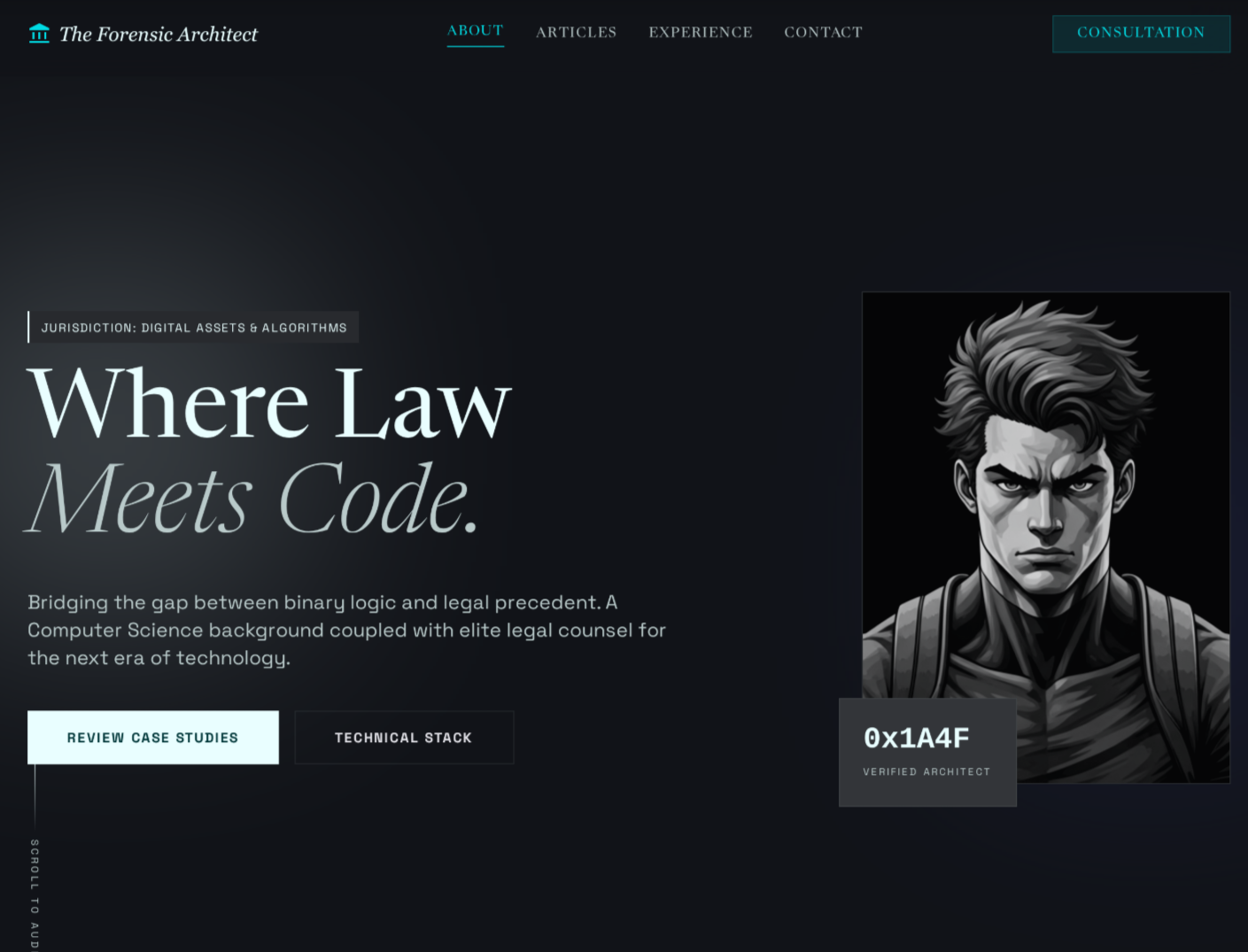
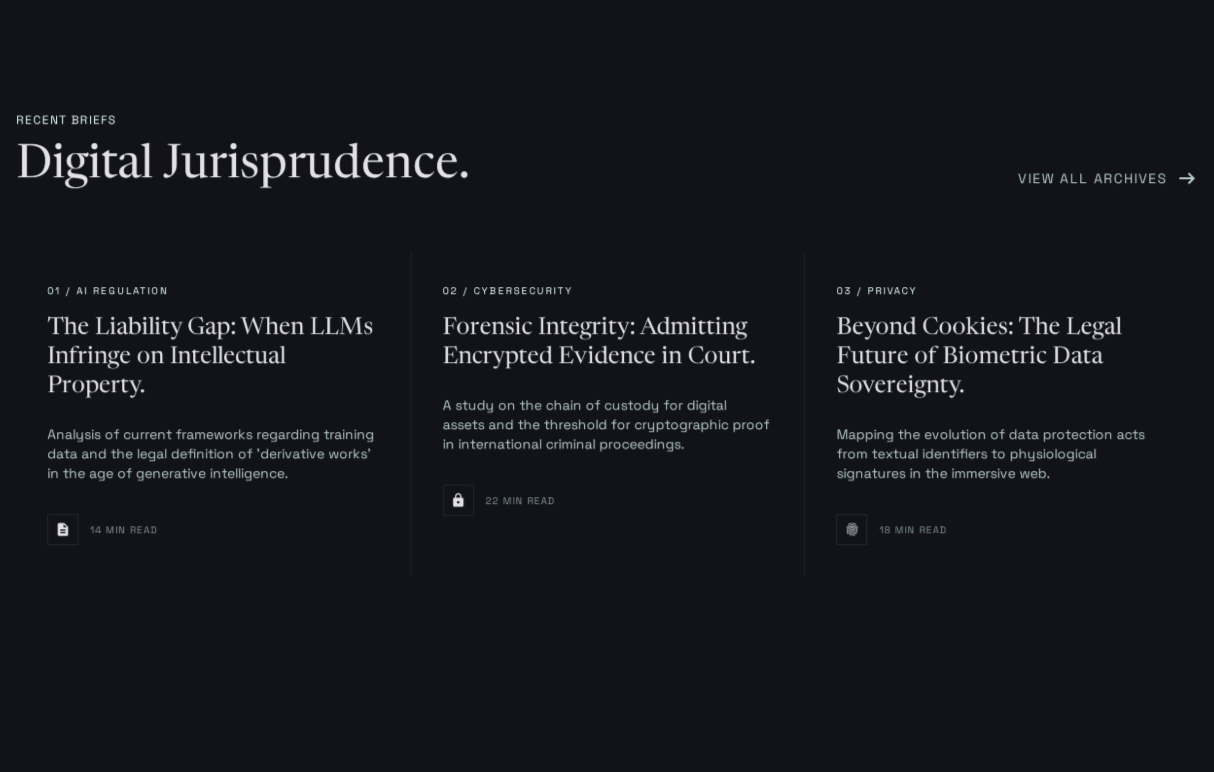
It was a great starting point, however my main gripes were:
- there was no way I’m putting a picture of myself on the front page;
- a little too mono-chrome for my liking; and
- it’s not a sales page, so the “Consultation” button and wording was unnecessary.
Final vibe powered design
So after some more iterations (aka poorly spelt prompts), I ended up with this design:
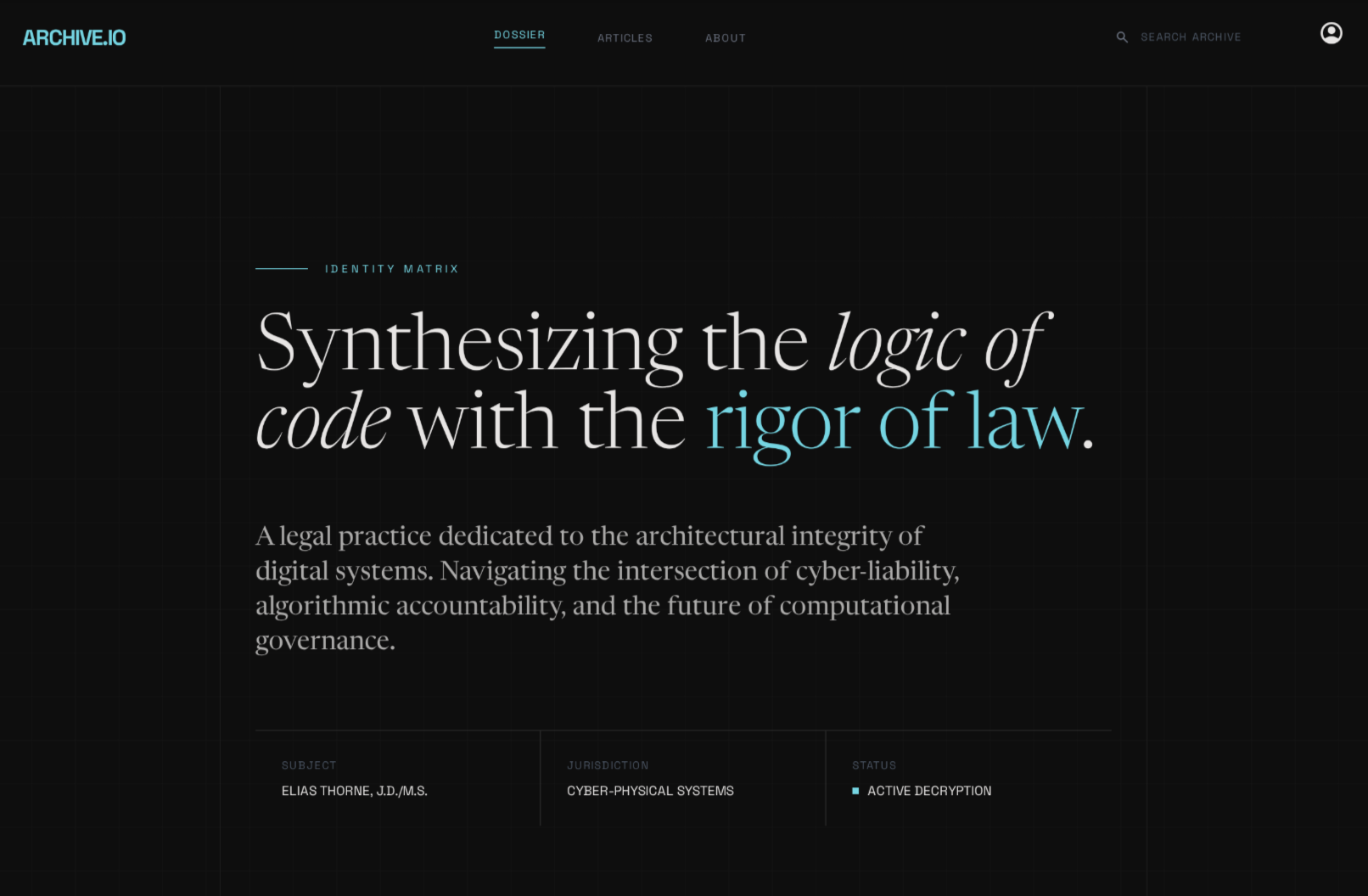
I liked the principal layout, colors and typography - so decided this would be the inspiration to build the site from. What I also like about Stitch is its ability to output a style guide you can provide to other tools:
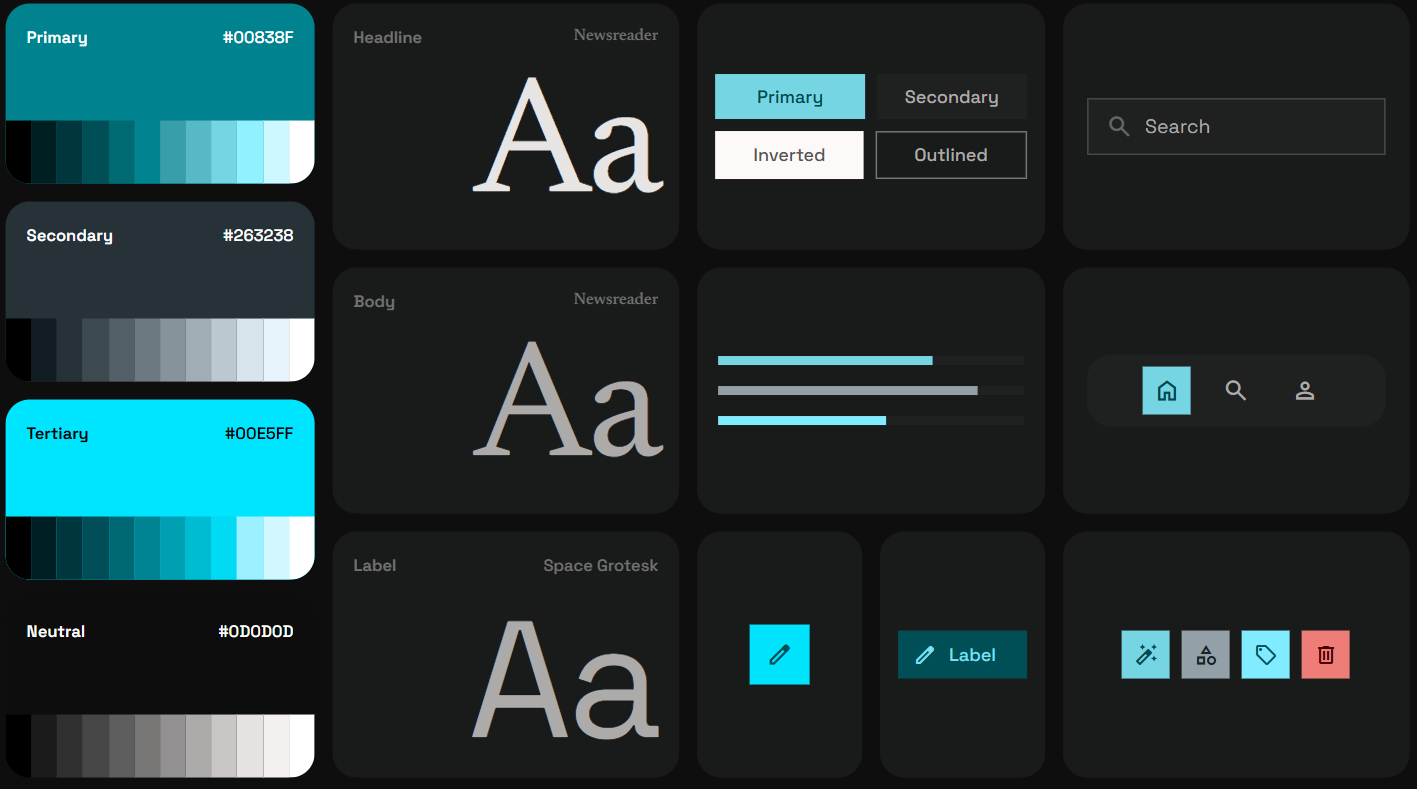
It also provides a DESIGN.md file with the design rationale and details, a
snippet of which is below.
<!-- snippet only -->

## 6. Do's and Don'ts

### Do:

- **Embrace the Grid:** Use a 12-column grid but intentionally leave the first
  two columns empty for "Marginalia" (metadata, labels).
- **Use Harsh Edges:** Everything is `0px` radius. The system should feel sharp,
  clinical, and precise.
- **Prioritize Legibility:** Narrative text must have ample breathing room. The
  dossier should feel "expensive" through its use of space.

### Don't:

- **Don't use Rounded Corners:** Ever. The `0px` rule is absolute to maintain
  the "Technical Briefing" aesthetic.
- **Don't use Icons for Everything:** Favor text labels in `label-sm` (Space
  Grotesk). If icons are used, they must be ultra-thin (0.5pt to 1pt stroke).
- **Don't use "Marketing" Language:** UI copy should be clinical and direct.
  Instead of "Get Started," use "Initialize Access." Instead of "Learn More,"
  use "Examine Documentation."
- **Don't use Center-Alignment:** Keep everything left-aligned to mimic the
  structure of a formal report, with the exception of specific metadata headers.
With the design somewhat settled, I was ready to start building the site.
Building the site with Astro
Why Astro?
I decided it was time to depart from my usual Vue + Node stack, primarily to broaden horizons, but also because I find Vue’s content-driven / SSR frameworks (like Nuxt) to be going through an identity crisis.
Astro describes itself as a ‘web framework for content-driven websites’. I first came across Astro after reading a blog post about the company behind Astro joining Cloudflare.
While I’m in no way familiar with all of Astro, what drew me to the framework was:
- support for multiple frontend frameworks (React, Vue, Svelte, etc) - I could still use Vue components if I wanted to;
- built-in support for Markdown and MDX - perfect for a content-driven site;
- file-based routing - makes it easy to create new pages and blog posts;
- great documentation - the docs are clear and comprehensive; and
- Static Site Generation (SSG) - hosting static sites is low maintenance, essentially free and I wasn’t interested in managing a server.
And so, VS Code was fired up and I hit the terminal with:
yarn create astroSome module downloads and > nvm uses later, the Astro boilerplate was ready to
go.
Other dependencies
I won’t go into too much detail on other dependencies, but core modules / tools I used alongside Astro included:
- Tailwind CSS - for styles and utility classes;
- Vite - for development and build tooling (included with Astro, although worth mentioning because Vite is great); and
- Github Copilot - because hand writing code is old-school.
I thought about Vitest for test-driven development, but in the interest of sanity and fewer token consumption, I decided testing was not going to happen.
Using Copilot to practically build the entire site
With just how good these AI-powered coding agents have become, there is no reason not to use them. While I can get behind the whole “AI will replace us all” narrative, I think it’s more accurate to say that AI will replace the act (art?) of writing code, not the act of desining, developing and selling software or systems.
In saying that, I also wouldn’t say developing an Astro site is the pinnacle of software development or systems engineering by any means.
Putting aside the commentary, I simply provided Copilot with the design and style guide outputs from Stitch, and it did the rest. I would say I had to write max 100 lines of code myself.
I purposely did not use Copilot to generate the content for the blog posts, I wanted to avoid this site just being another AI slop demo.
Plans for the future
With the site live… I suppose all that’s left to do is write some content for it. I have occasional thoughts and I’ll try share them here. No promises on the frequency though.
I also plan to use to site for occasional experiments with new technologies, tools etc. I suppose only time will tell.